 Margem
Notas de pregação que conhecem a Bíblia. Sermon notes that know the Bible.
Para quem anota a pregação com o celular na mão. Digite a referência, aperte Enter, e o versículo já está na nota.
For people who take notes during the sermon, phone in hand. Type the reference, press Enter, and the verse is already in your note.


Demonstração: numa nota, alguém digita João 3:16 e aperta Enter, e o versículo entra na nota. Demo: in a note, someone types John 3:16 and presses Enter, and the verse comes into the note.
A graça que alcança
Hoje falamos sobre graça. #graça
Grace that reaches us
Today: grace. #grace
Feito para a hora da pregação Made for the sermon as it happens
Versículos sem parar de digitar Verses without breaking your typing
Digite uma referência como João 3:16 ou Jo 3:16-18; Rm 8:28 e aperte Enter. Os versículos entram na nota na hora, mesmo sem internet, e você continua escrevendo.
Type a reference like John 3:16 or Jn 3:16-18; Mk 1:3 and press Enter. The verses are in your note right away, even offline, and you keep writing.
Nomes e abreviações dos livros funcionam em português e em inglês. Uma referência em inglês, como Mark 1:3, vem em inglês.
Book names and abbreviations work in Portuguese and English. A reference typed in English, like Mark 1:3, comes in English.
Duas Bíblias de domínio público Two public-domain Bibles
Almeida, em português, e a Berean Standard Bible, em inglês. As duas vêm dentro do app, então os versículos chegam sem esperar a internet.
Almeida, in Portuguese, and the Berean Standard Bible, in English. Both come inside the app, so verses never wait on the internet.
Uma nota para cada pregação One note for each sermon
Cada nota tem título, pregador e data. Escreva com títulos, listas, checklists e citações entre aspas grandes.
Each note has a title, a preacher and a date. Write with headings, lists, checklists and quotes set between big quotation marks.
Escolha a fonte, o tamanho do texto e o tema claro ou escuro.
Pick the typeface, the text size, and a light or dark theme.
Tudo fácil de achar Easy to find again
Organize em pastas e #tags, fixe as notas importantes e busque por título, versículo, pregador ou qualquer palavra.
Sort notes into folders and #tags, pin the ones that matter, and search by title, verse, preacher or any word.
Apagou sem querer? A nota fica em Apagadas recentemente por 30 dias.
Deleted one by mistake? It stays in Recently deleted for 30 days.
Notas que se ligam Notes that link up
Digite @@ para ligar uma nota a outra. A outra nota mostra o caminho de volta.
Type @@ to link one note to another. The other note links back.
Marque palavras de um versículo e comente sobre elas.
Mark words in a verse and comment on them.
No iPhone e no iPad On iPhone and iPad
No iPhone e no iPad On iPhone and iPad
Baixe na App Store para iPhone e iPad, ou use o Margem no navegador: um backup leva as notas de um para o outro.
Get it on the App Store for iPhone and iPad, or use Margem in your browser: a backup moves your notes from one to the other.
-
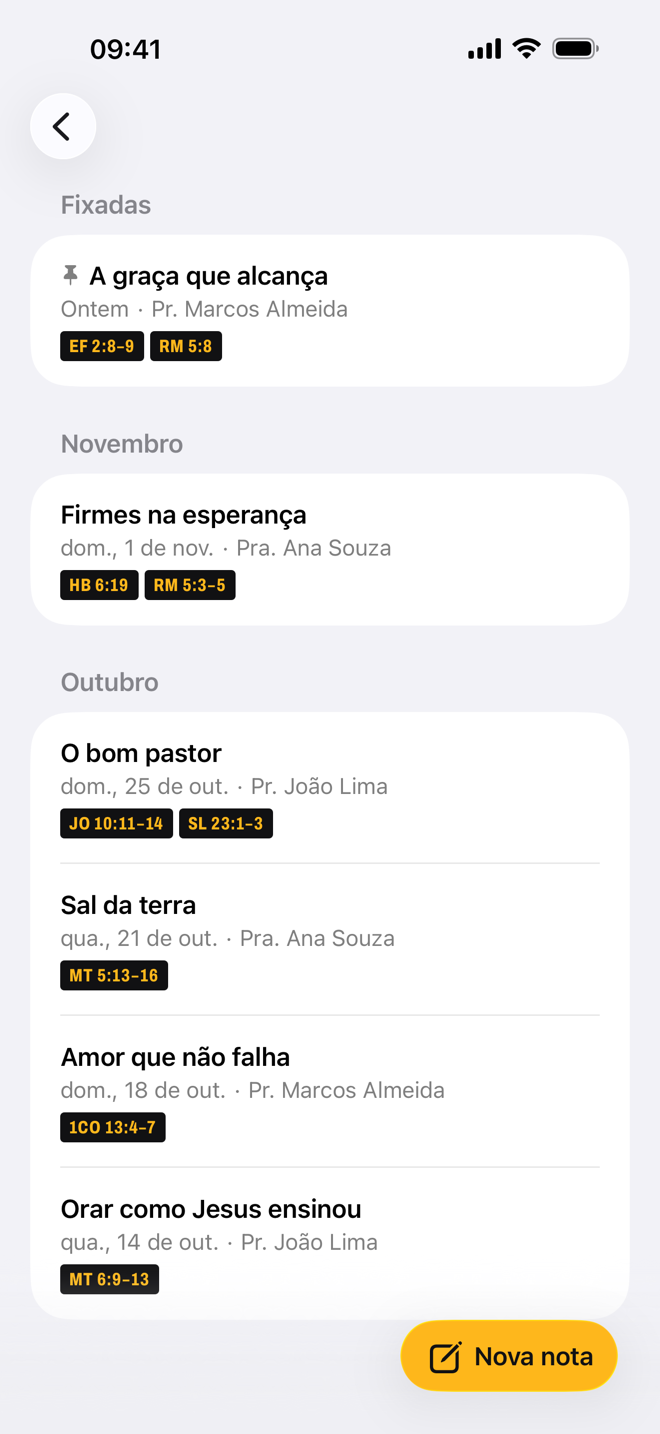
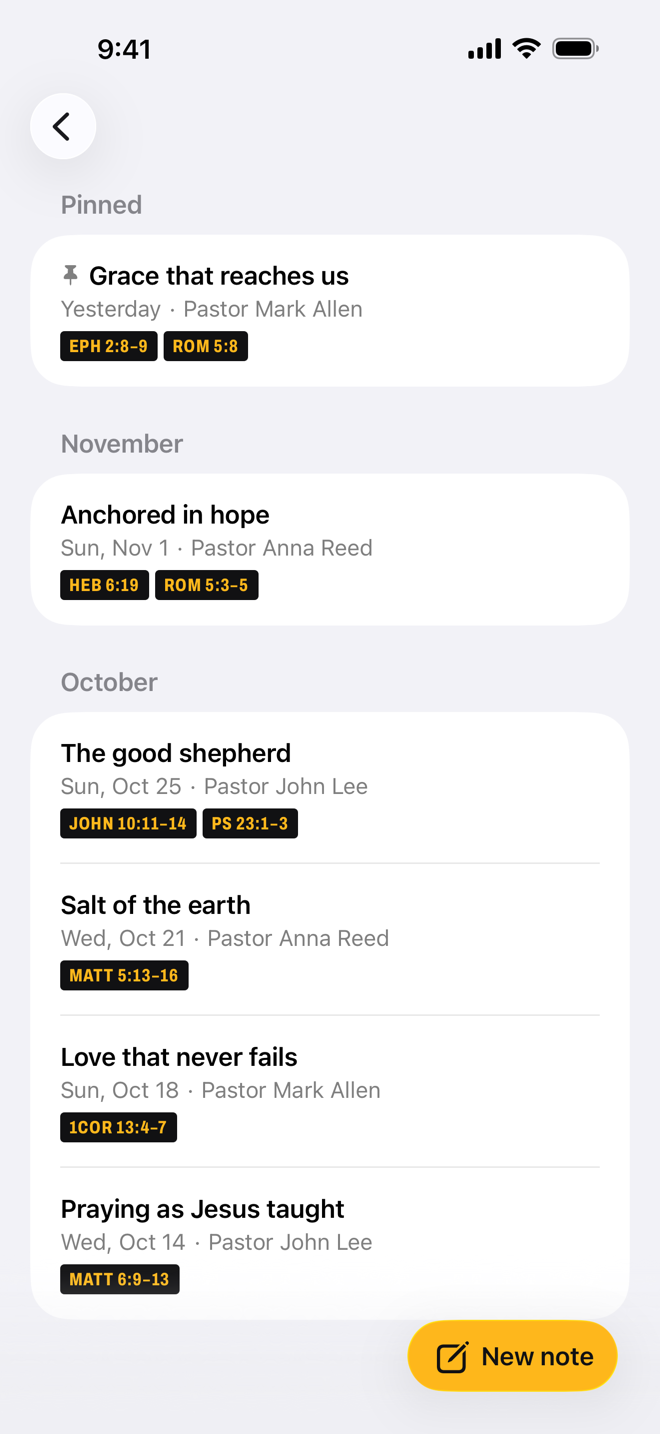
Cada pregação com as suas passagens. Every sermon with its passages. -
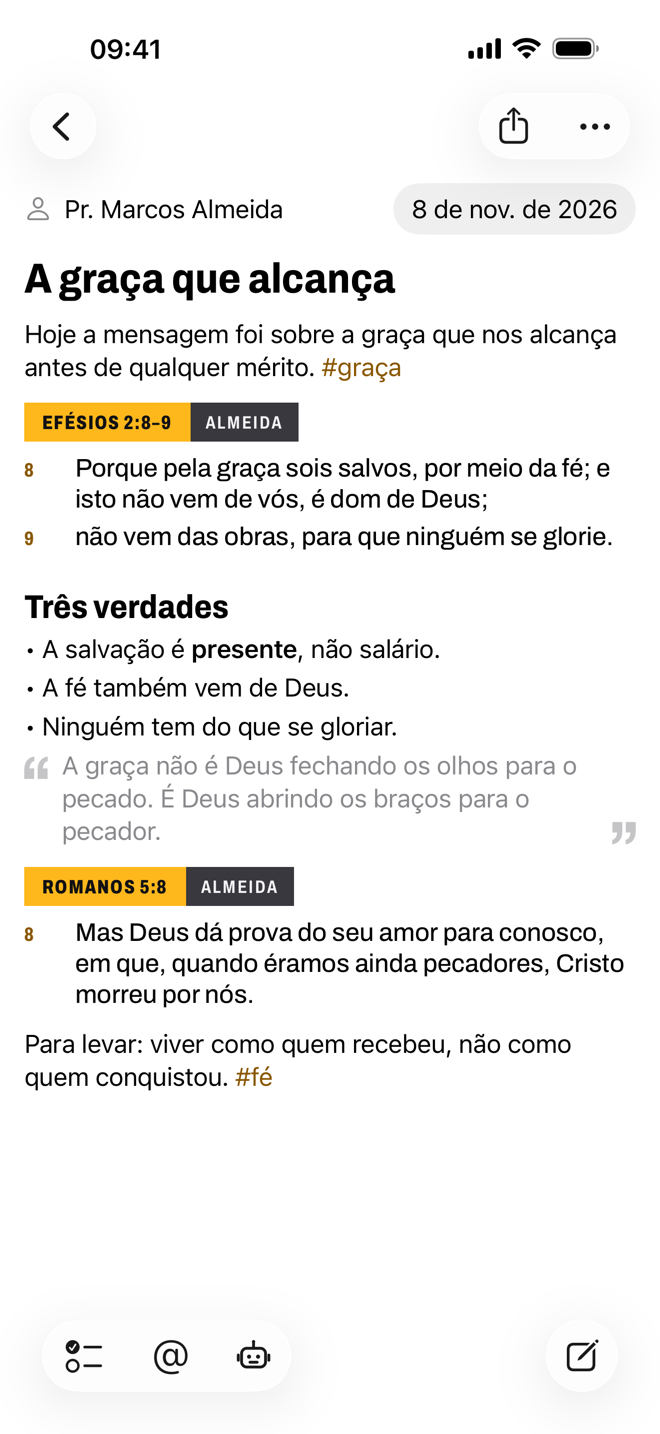
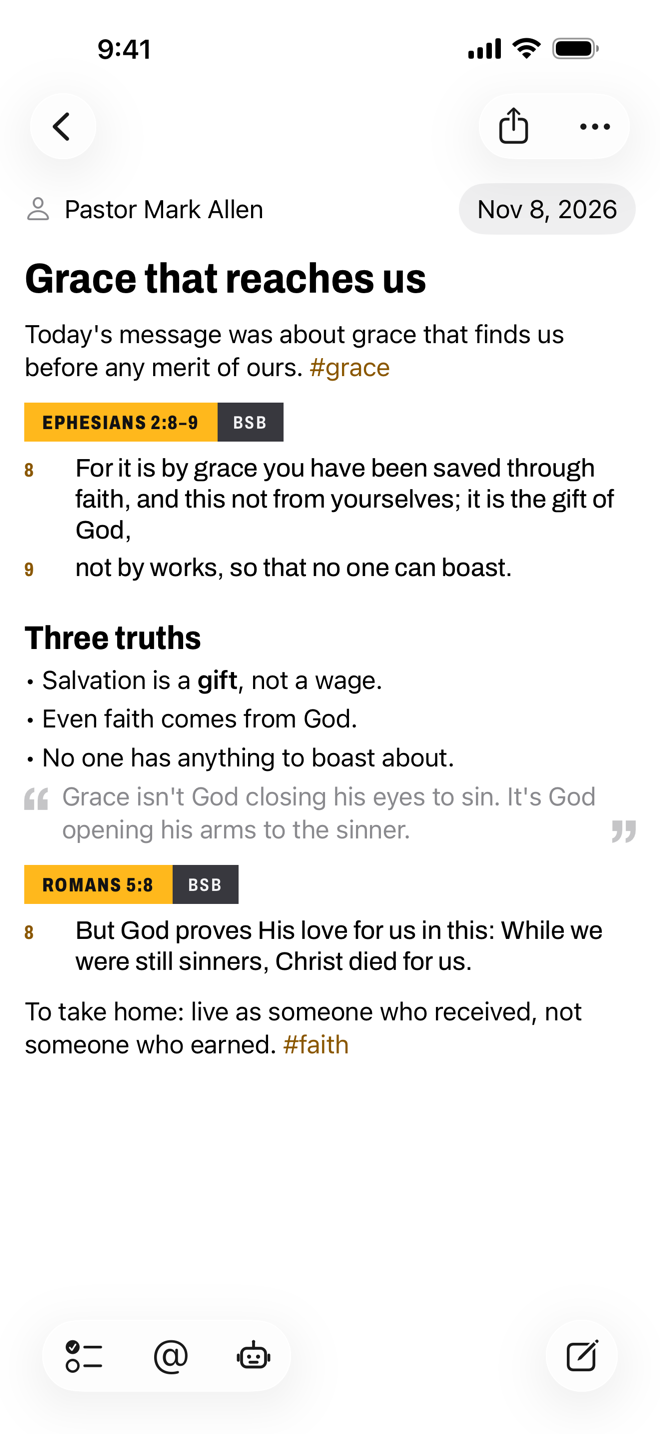
Os versículos no meio das suas palavras. The verses right among your words. -
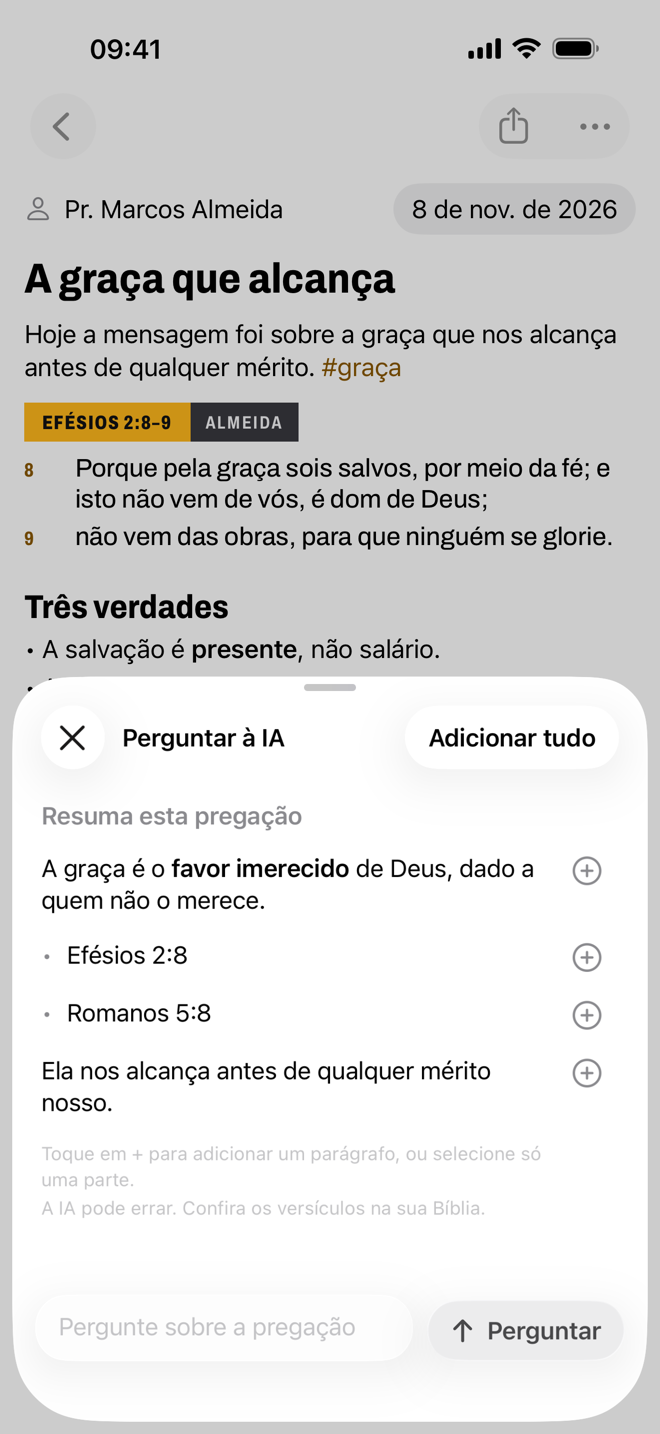
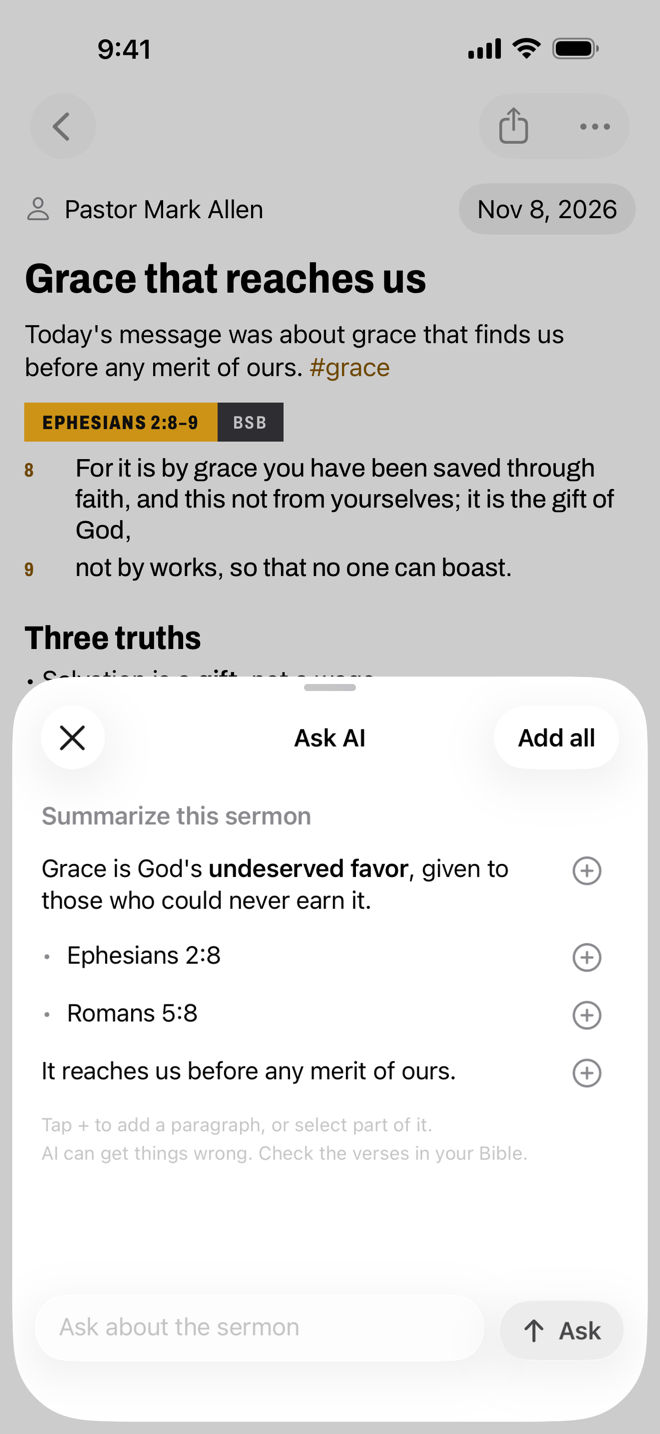
Perguntas sobre a pregação, ali na nota. Questions about the sermon, right in the note.
Pergunte à IA sobre a pregação Ask AI about the sermon
Peça um resumo, versículos relacionados, perguntas para reflexão ou o contexto histórico. As respostas ficam dentro da Bíblia e da fé cristã, e qualquer parágrafo pode ir para a nota.
Ask for a summary, related verses, questions for reflection or the historical context. Answers stay within the Bible and the Christian faith, and any paragraph can go into your note.
No iPhone e no iPad On iPhone and iPad
- Apple Intelligence No aparelho On the device
-
Grátis e privada: as respostas são feitas no próprio aparelho.
Precisa de um iPhone 15 Pro ou mais novo, ou de um iPad ou Mac com chip M1 ou mais novo (ou iPad mini com A17 Pro), com a Apple Intelligence ativada.
-
Free and private: answers are made on the device itself.
Needs an iPhone 15 Pro or newer, or an iPad or Mac with an M1 chip or newer (or iPad mini with A17 Pro), with Apple Intelligence turned on.
- OpenRouter Com a sua chave With your own key
-
Para outros aparelhos, ou para respostas mais fortes.
Você paga à OpenRouter pelo uso, e o Margem não cobra nada. Como conseguir uma chave
-
For other devices, or for stronger answers.
You pay OpenRouter for what you use, and Margem charges nothing. How to get a key
Suas notas são só suas Your notes stay yours
Sem conta. Sem anúncios. Sem rastreamento.
No account. No ads. No tracking.
As notas ficam no seu aparelho e no seu iCloud, iguais no iPhone e no iPad. O backup é um toque, e o mesmo arquivo leva as notas para o navegador e de volta.
Your notes live on your device and in your iCloud, the same on iPhone and iPad. A backup is one tap, and the same file moves your notes to the browser and back.